

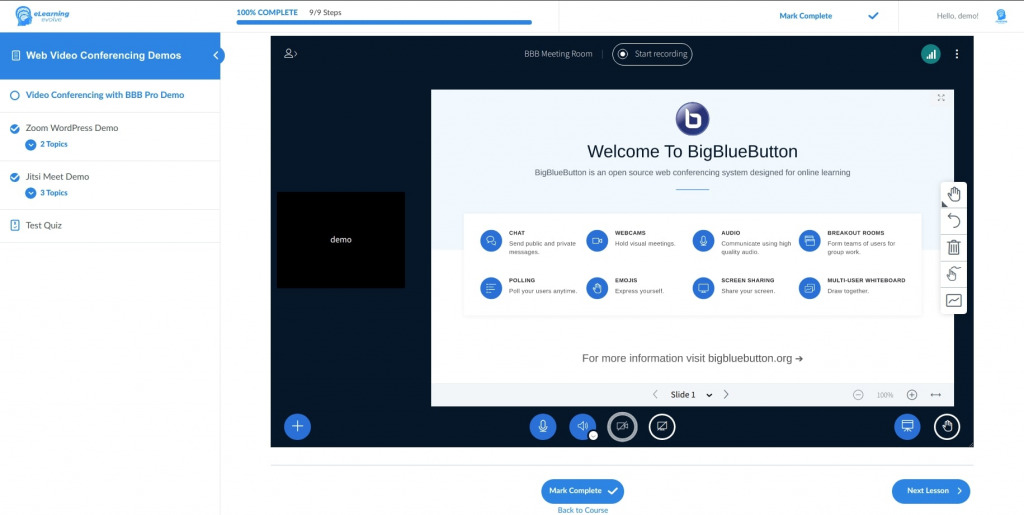
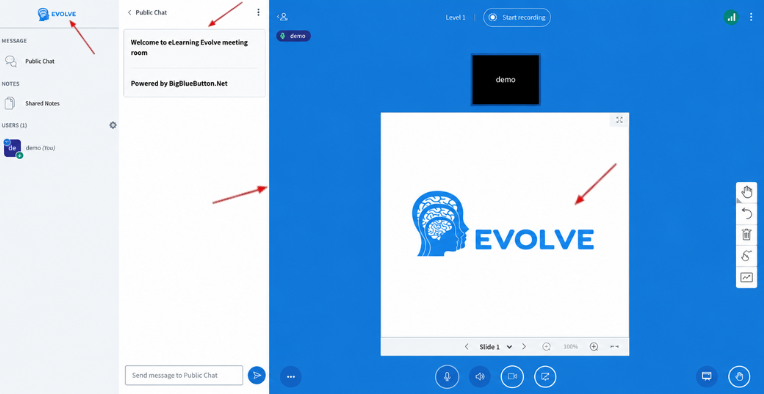
We installed this plugin on a new online community platform to equip our members with the ability to meet each other and attend video events via an open-source alternative to Zoom. We have found it to work very well over the last month that we have been using it. The BBB video meeting opens up very smoothly via different web interfaces and even the custom mobile app we are developing, and scales nicely to fit differently sized frames within the platform window. The developer has also been very helpful and reliable to communicate with, and has helped in dealing with some specific technical issues that have come up. If you're looking for an alternative to Zoom, and you have a way to set up a BBB instance of your own, do give this plugin a close look.
We installed this plugin on a new online community platform to equip our members with the ability to meet each other and attend video events via an open-source alternative to Zoom. We have found it to work very well over the last month that we have been using it. The BBB video meeting opens up very smoothly via different web interfaces and even the custom mobile app we are developing, and scales nicely to fit differently sized frames within the platform window. The developer has also been very helpful and reliable to communicate with, and has helped in dealing with some specific technical issues that have come up. If you're looking for an alternative to Zoom, and you have a way to set up a BBB instance of your own, do give this plugin a close look.
The best plugin for managing BBB rooms, you can't find any plugin like this to manage BBB rooms. User-friendly interface. It is efficient and easy to use. Highly recommend it!!!
Moreover, this is a very nice plugin. most people don't know that with the PRO version, you can set the max number of users you want to join the room.






Submit your review | |
Great support with quick service. They will always help you
Incredible! Really helped me facilitate my live classes on my website during the pandemic! Such a seamless experience.
Their support is very responsive and goes above and beyond to troubleshoot issues. They even put in a feature improvement in less than a week based on some feedback provided! Definitely recommend.
This plugin does exactly what it says it does, and most importantly, the support is great - when I had a small issue configuring the plugin, the developer responded within 24 hours and fixed it.
This plugin helps us execute our live meetings perfectly. Recently, we had trouble with the plugin and we reached out to their support. They responded in a professional manner and handled the issue smoothly. We had a great experience with their tech support and we are glad that we choose eLearning Evolve.
Swift response to technical issues.
This is very nice and well developed. Now our ministry can have live seminars thanks to this creation! May you all be blessed with a life filled with love, joy, peace and prosperity.
We installed this plugin on a new online community platform to equip our members with the ability to meet each other and attend video events via an open-source alternative to Zoom. We have found it to work very well over the last month that we have been using it. The BBB video meeting opens up very smoothly via different web interfaces and even the custom mobile app we are developing, and scales nicely to fit differently sized frames within the platform window. The developer has also been very helpful and reliable to communicate with, and has helped in dealing with some specific technical issues that have come up. If you're looking for an alternative to Zoom, and you have a way to set up a BBB instance of your own, do give this plugin a close look.
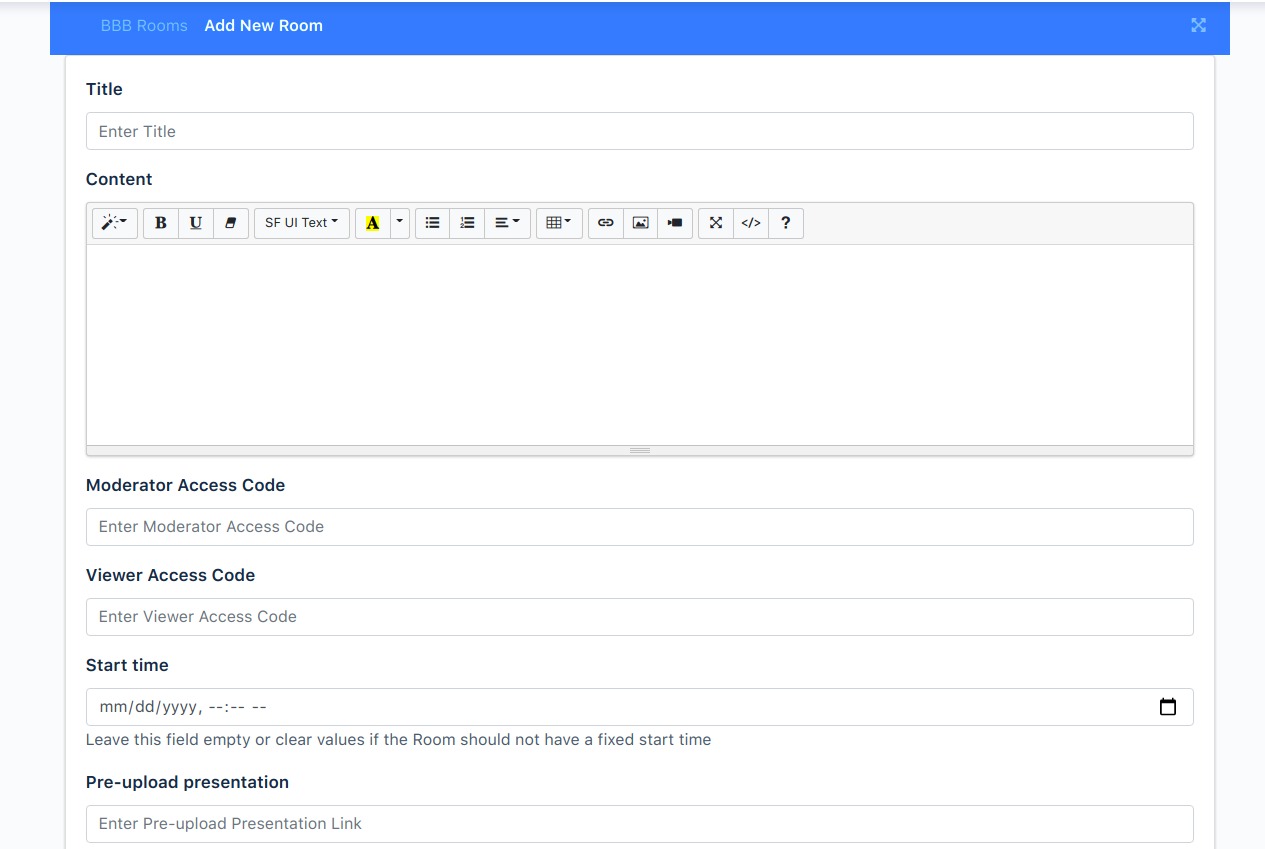
The developer was quick to fix problems that I initially encountered when using this plugin on a WordPress multisite. The plugin is easy to configure, provided you know how to locate your BigBlueButton's secret. And setting up BBB rooms is simple. All in all, this plugin works nicely.
The best plugin for managing BBB rooms, you can't find any plugin like this to manage BBB rooms. User-friendly interface. It is efficient and easy to use. Highly recommend it!!!
Moreover, this is a very nice plugin. most people don't know that with the PRO version, you can set the max number of users you want to join the room.


This is very nice and well developed. Now our ministry can have live seminars thanks to this creation! May you all be blessed with a life filled with love, joy, peace and prosperity.
The best plugin for managing BBB rooms, you can’t find any plugin like this to manage BBB rooms. User-friendly interface. It is efficient and easy to use. Highly recommend it!!!
Moreover, this is a very nice plugin. most people don’t know that with the PRO version, you can set the max number of users you want to join the room.
I bought the pro version and I have a meeting time remaining!
Hello ANGIE,
Thank you for reaching out. The default credentials in the plugin settings are from a development server and are not recommended for production purposes.
Please purchase a production-level BigBlueButton server and add its credentials in the Endpoint URL and the Shared Secret/Salt.
We have created a list of our recommended BBB hosting providers for your convenience.
Let me know if you have any further questions.
Thanks!
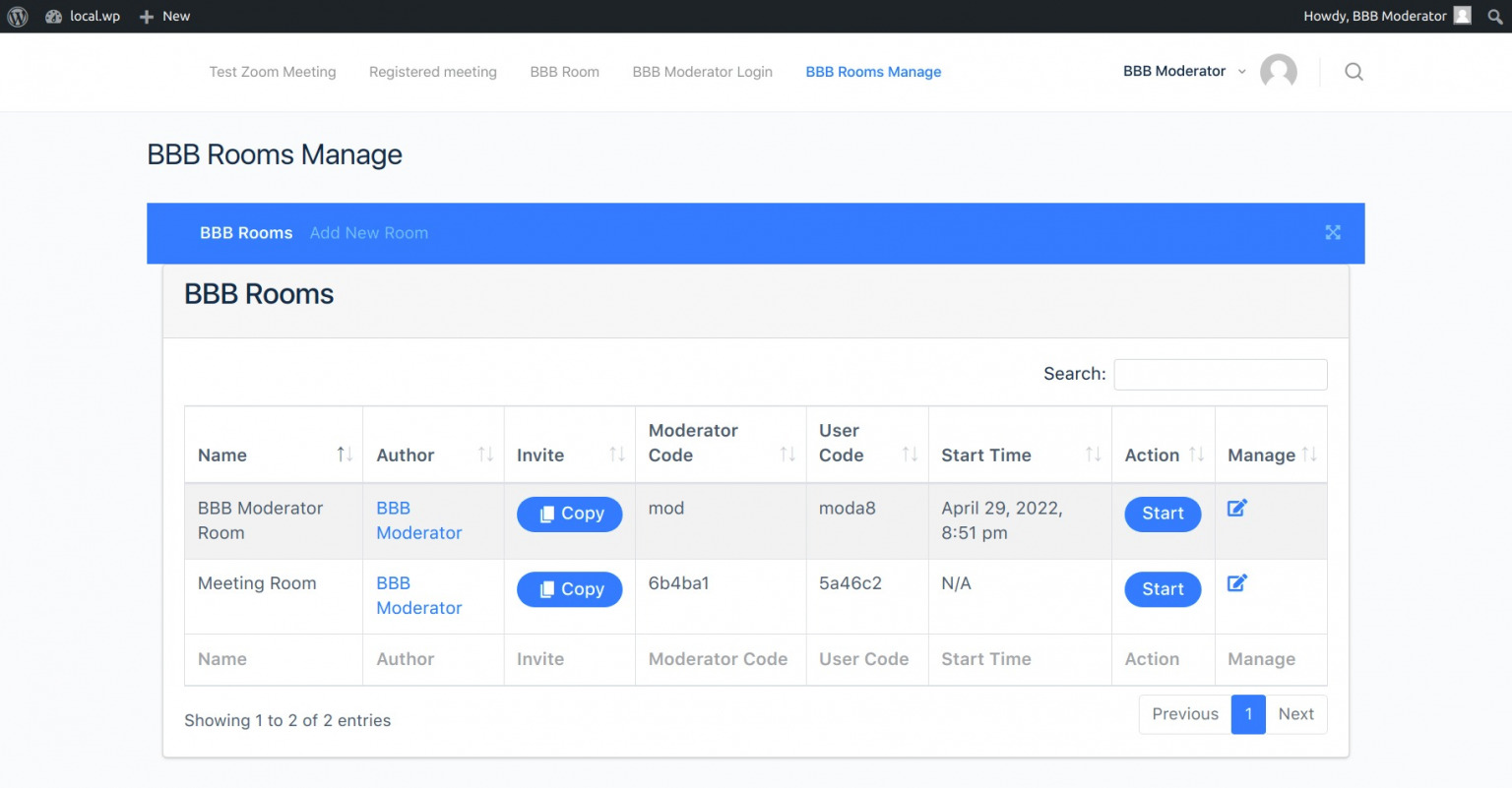
I installed the free big blue button plugin but now the instructor should log into the wordpress dashboard to be able to define the room … I want to avoid this thing and I want the user to be able to do it directly from the instructor dashboard Role for learndash plugin. The Pro version solve this problem? Also on the site there can be more instructors each with many students … what kind of license do I need? Thanks
Currently, the BBB rooms can only be managed from the WP dashboard -> BBB Rooms. The pro plugin also has the same option. If you want to use the plugin on a single site then, a Basic license plan would be enough the license plan is based on per site and not the no.of instructors.